
Testing
Test your Veem API integration in sandbox and Postman.
Testing API in Sandbox Environment RM
In a Sandbox environment, you can create test accounts and test payments, invoices, and Virtual Bank Accounts. This environment lets you simulate transactions to make sure that your integration works correctly. This helps to identify any bugs or errors in your Veem implementation before you go live with actual payments. Refer to the Sandbox Environment Quick Start page for more information.
Veem’s Public API Postman Collection
Postman is a widely-used API development tool. To make integrating with Veem easier, we provide a Veem Public API Postman collection with the tools you need to test the integration.
Fork the collection
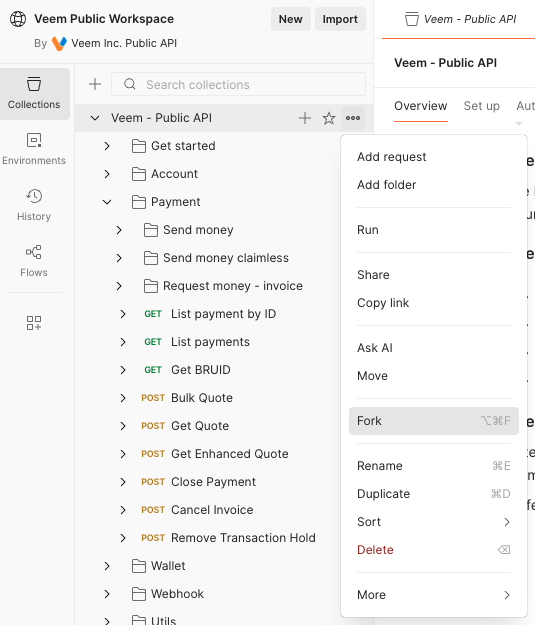
To begin, you need to access the Postman app. You can use either the browser or desktop version. After launching the app, fork the collection.
To start this process on the web, press the Fork button.
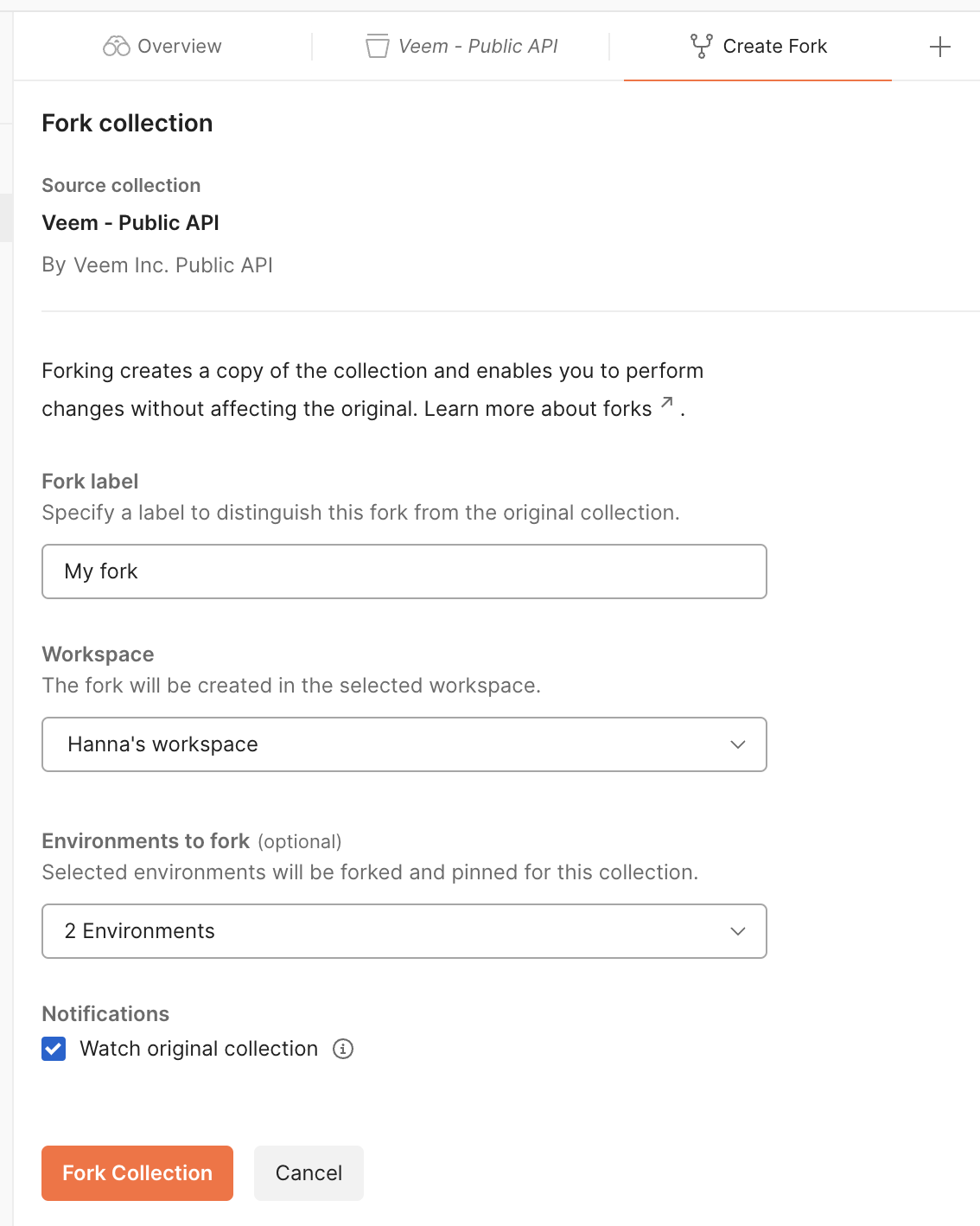
Fill out the form, selecting all environments under Environments to fork, and click Fork Collection.
Use the collection
To use the collection, go to the collection you just forked and click Environments. Copy your sandbox token into main_token value. After you complete this step, you’re ready to begin making requests.
Other variables are populated by scripts during the runtime of the collection. For example, when creating an account, the system saves that account_id through a script in the collection, which is then accessible for later requests, like Get account.
Updated about 2 months ago